GTA 6 Xbox Controls: On Foot, Melee and Driving
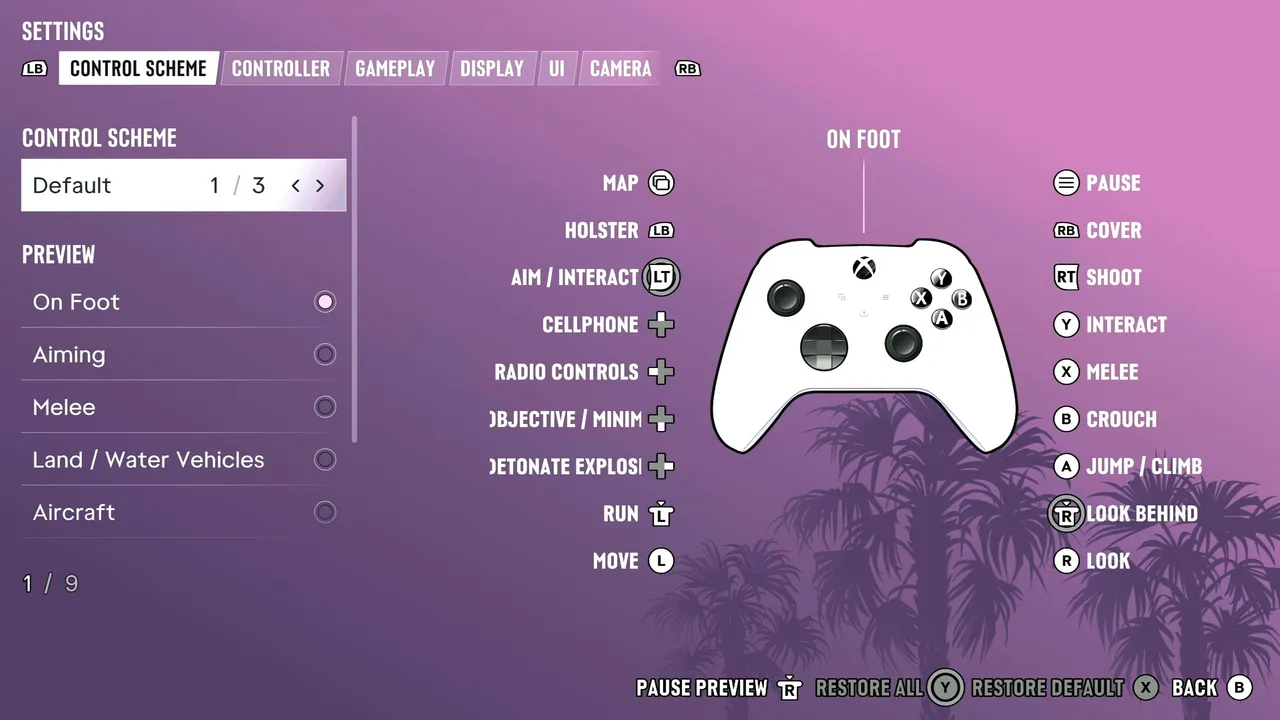
In Settings, the Control Scheme tab lists three schemes, with Default first and Classic second. The Control Scheme preview has nine entries and includes On Foot, Aiming, Melee, Land / Water Vehicles, Aircraft, Bicycle, Swimming and Parachute.
On foot
On foot in the Default Xbox scheme, RT shoots, LT aims or interacts, RB takes cover and Y interacts. On foot in the Default Xbox scheme, X is melee, B crouches and A jumps or climbs. On foot in the Default Xbox scheme, click the left stick to run, click the right stick to look behind and press LB to holster your weapon. On foot in the Default Xbox scheme, the D-pad handles the cellphone, radio controls, objective and minimap, and detonating explosives. The Default Xbox On Foot preview also shows LB for the loadout and the D-pad for the WAINK app, radio menu, quick navigation and partner menu.
Melee
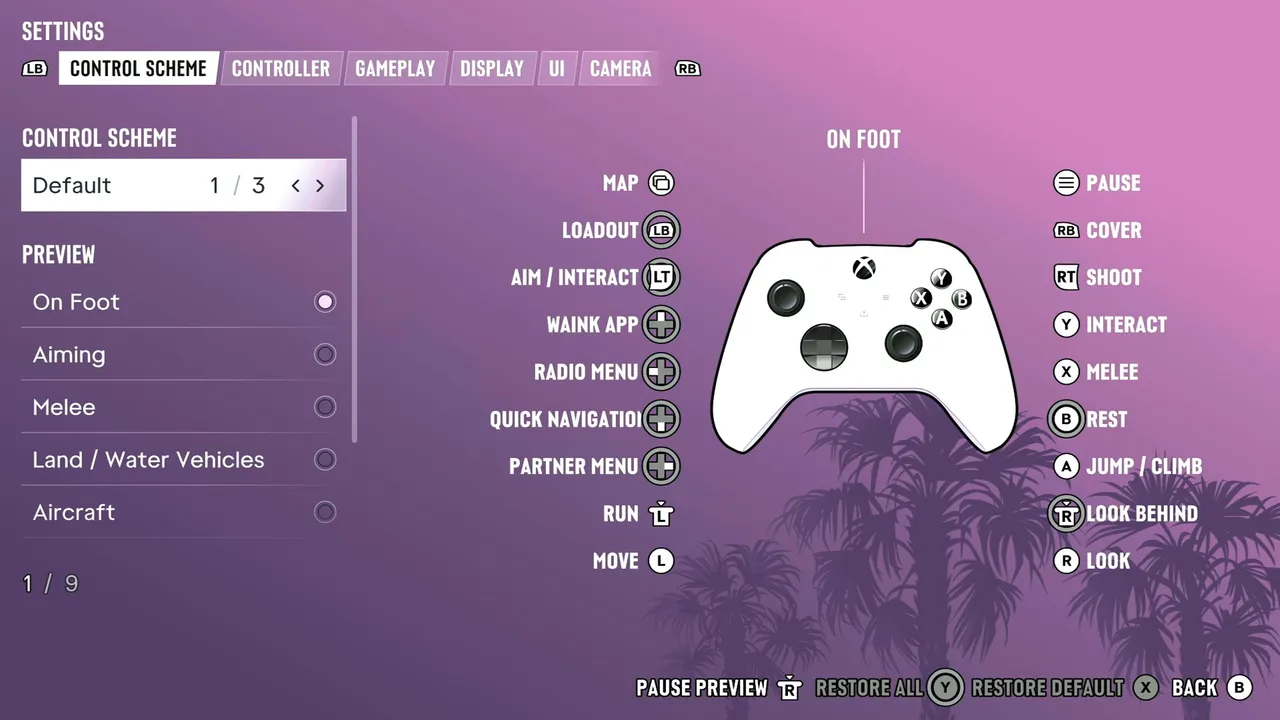
In the Xbox Melee preview, X punches or kicks, A blocks or dodges, RT grapples and LT locks on or strafes.
Driving
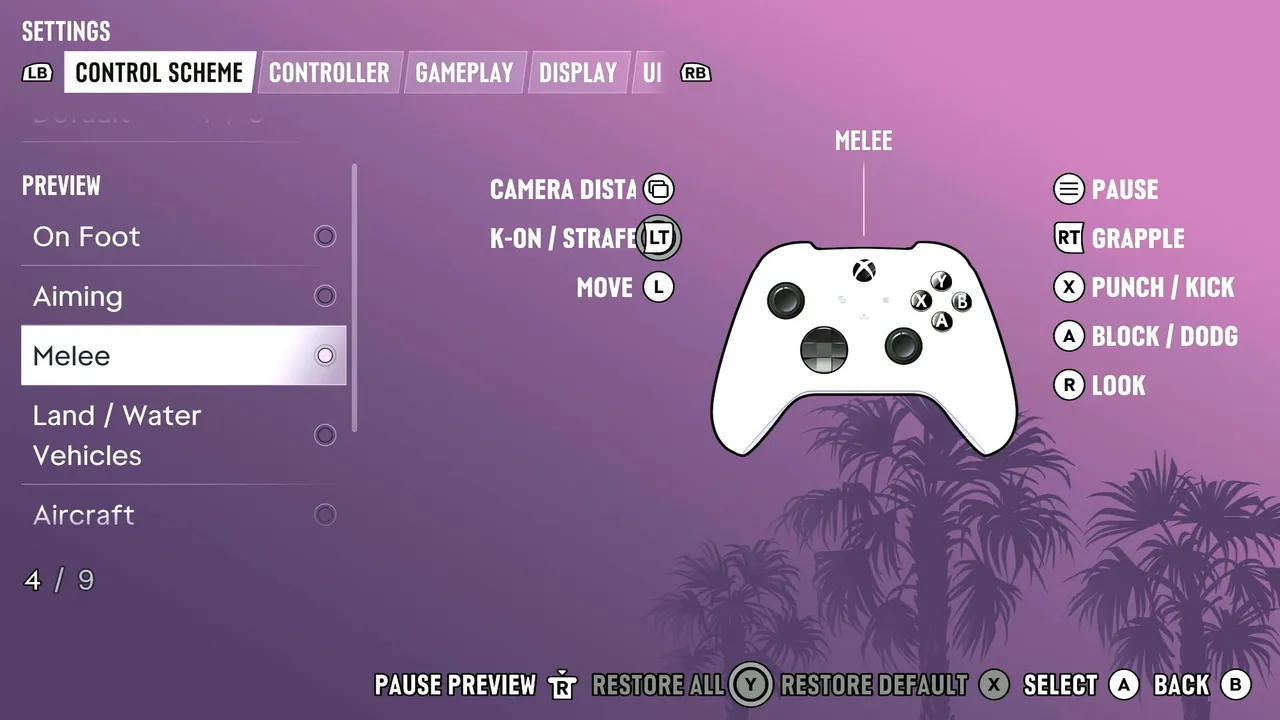
In the Xbox Land / Water Vehicles preview, RT accelerates, LT brakes or reverses, RB shoots and A applies the handbrake. In the Xbox Land / Water Vehicles preview, Y exits the vehicle, B controls the headlights and X is melee. In the Xbox Land / Water Vehicles preview, the D-pad handles the cellphone, left and right indicators, and the objective and minimap, while clicking the left stick operates the horn or nitrous.
The Classic scheme
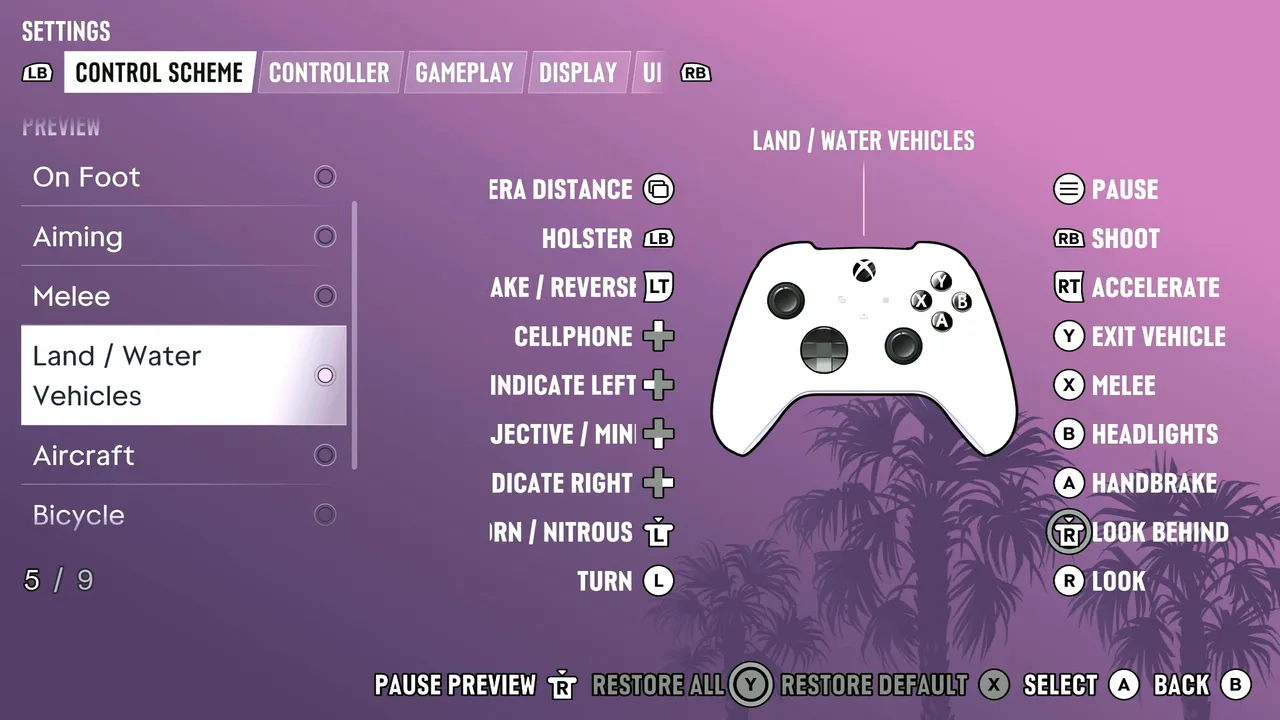
On foot in the Classic Xbox scheme, X jumps or climbs, B is melee, A runs and clicking the left stick crouches.
Bicycles
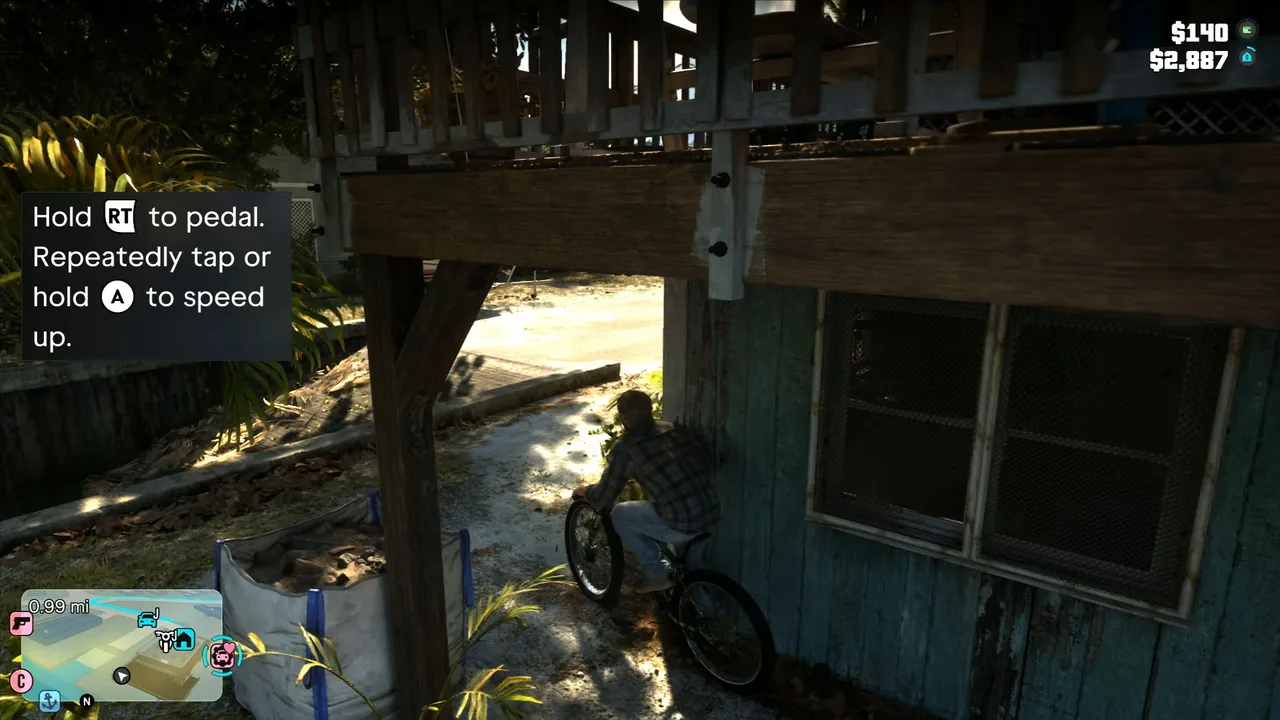
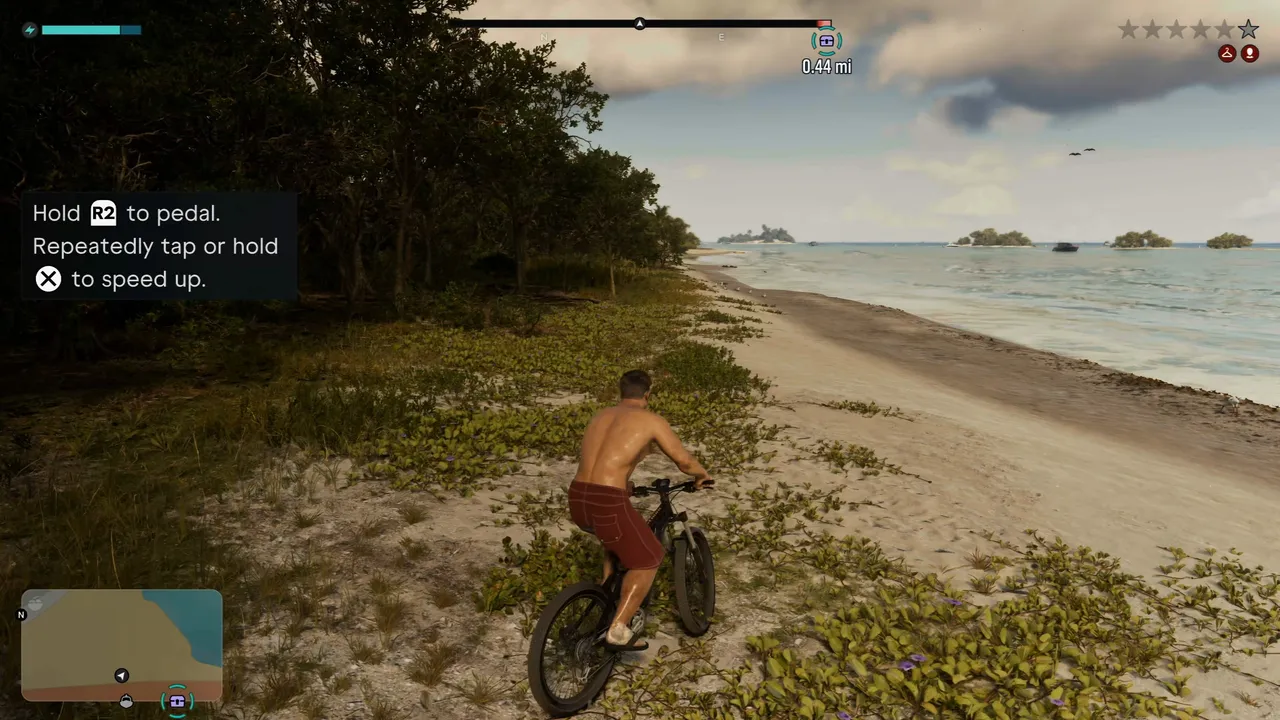
On a bicycle, hold RT on Xbox or R2 on PlayStation to pedal, and repeatedly tap or hold A on Xbox or Cross on PlayStation to speed up. The Lombike bike-share rack on the sidewalk outside Dynamix Fitness displays the slogan “Pay, Pedal, Replace.”
Helmets
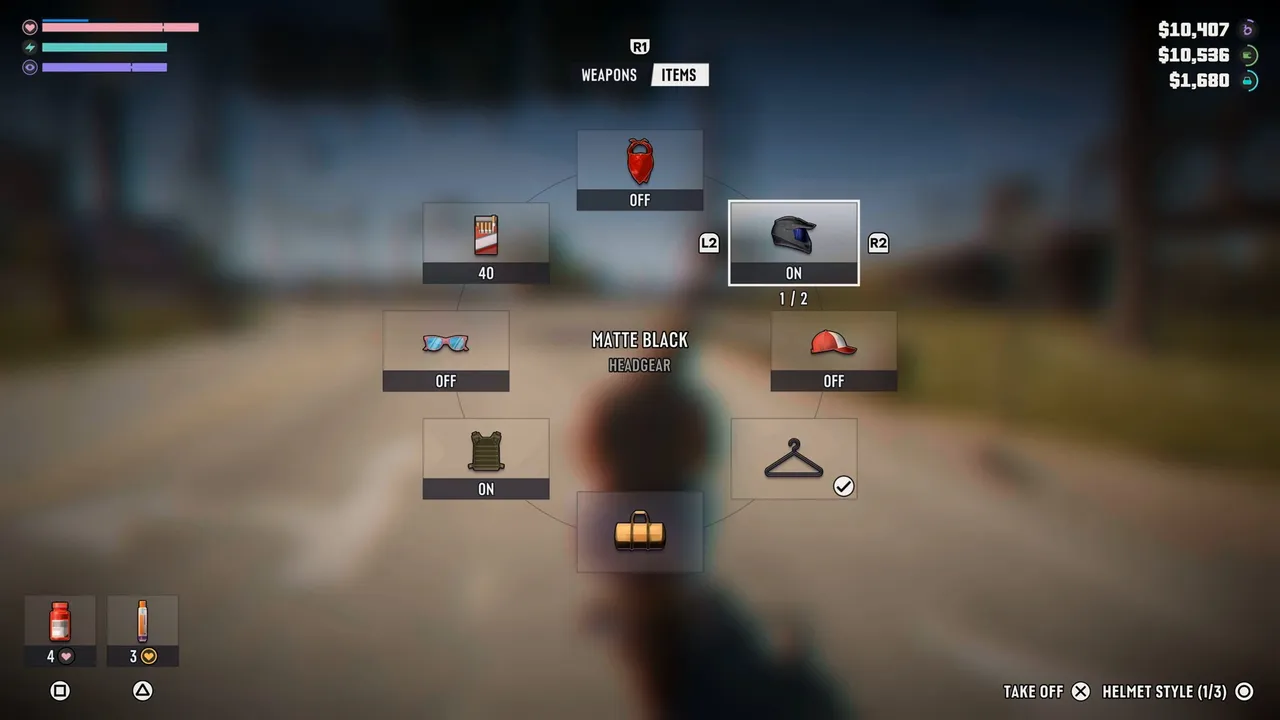
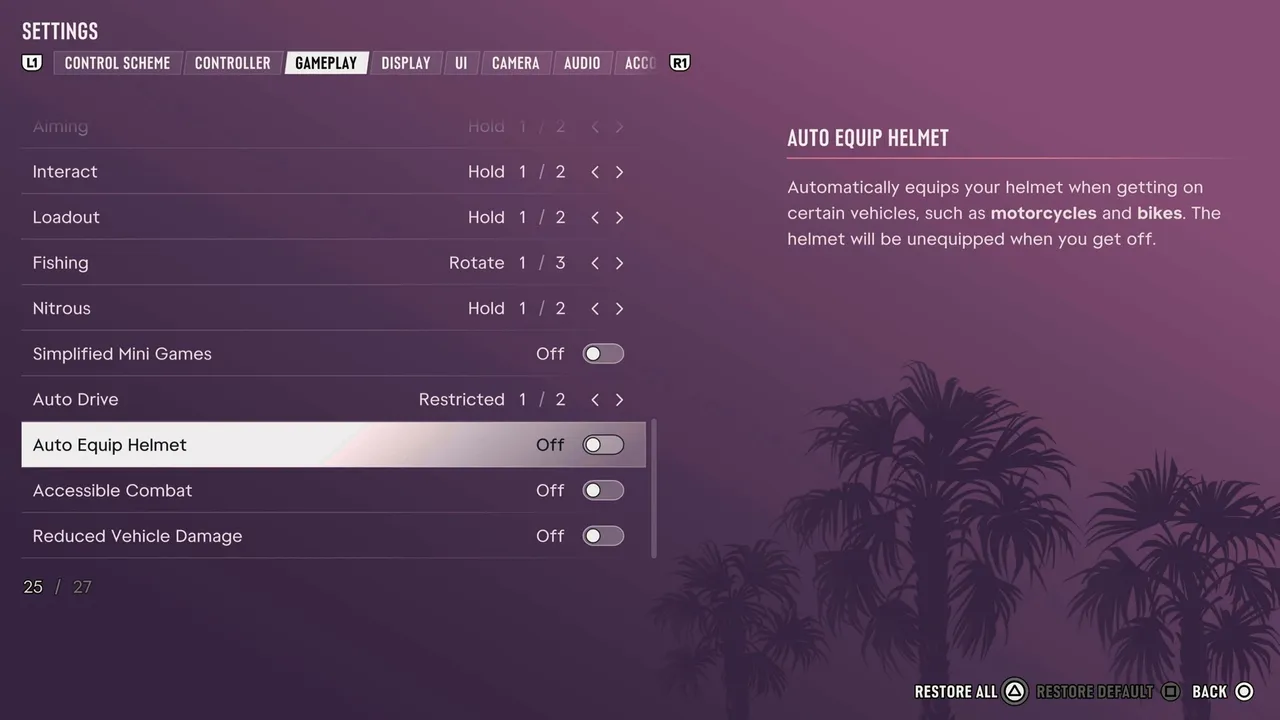
On Xbox, hold LB and then press RB to access your helmet from the loadout while riding a bicycle or motorcycle. The loadout’s Items wheel shows the helmet slot. The Matte Black headgear was switched On here. The Items wheel lets you take off the helmet or change its style. The prompt shown reads “Helmet Style (1/3).” The Auto Equip Helmet switch is under Gameplay in Settings. Turn on Auto Equip Helmet to put on your helmet automatically when you mount certain vehicles, including motorcycles and bicycles, and take it off when you dismount.
More in Getting started