Standout Vehicles in GTA 6: What They Are and Where to Track Them
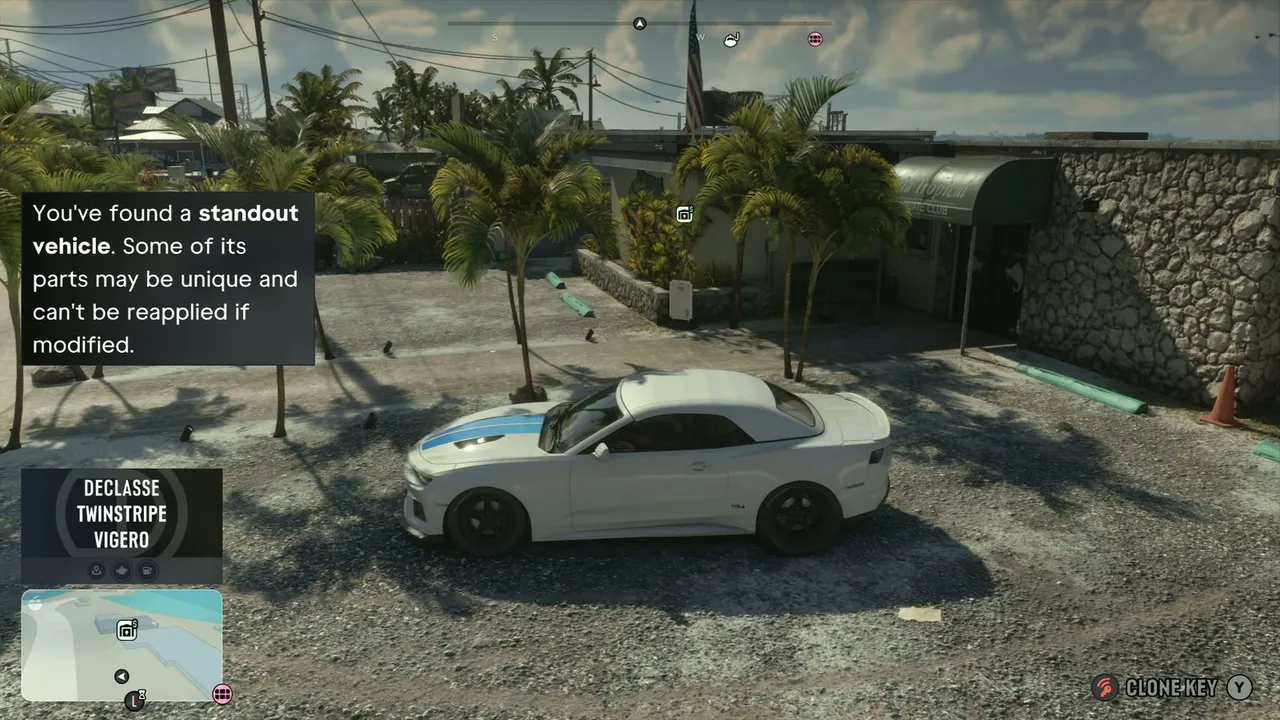
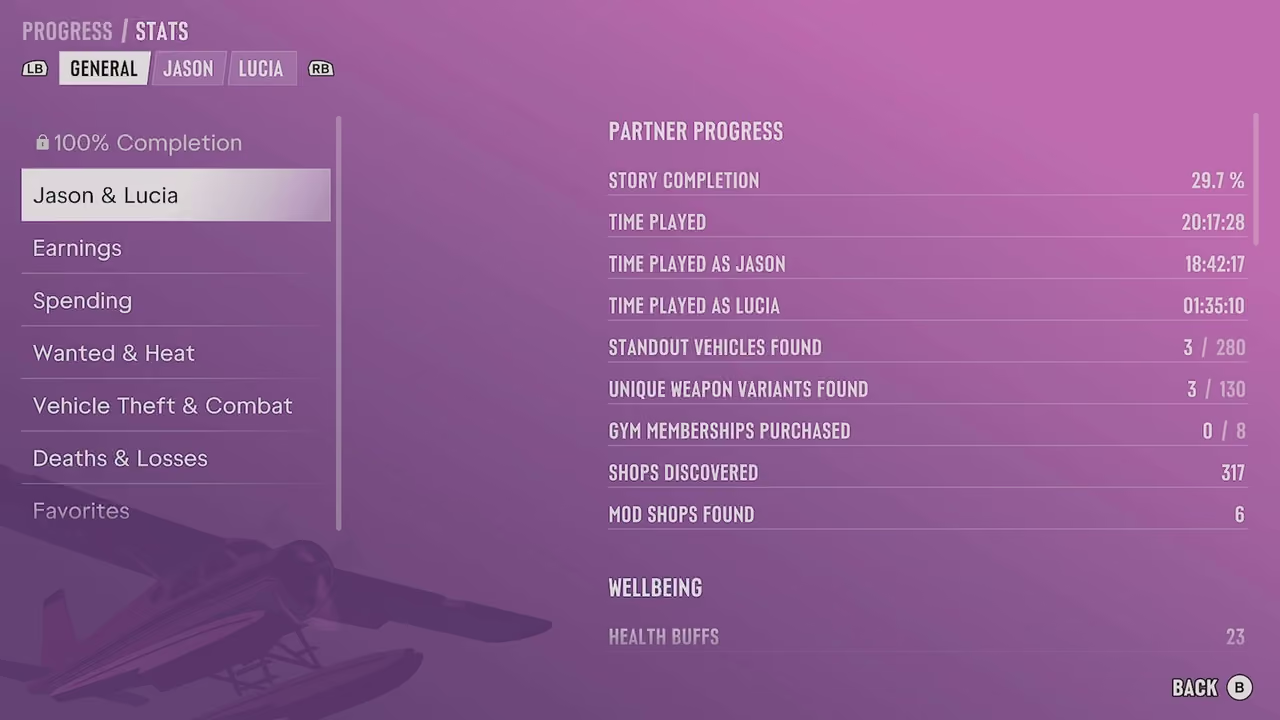
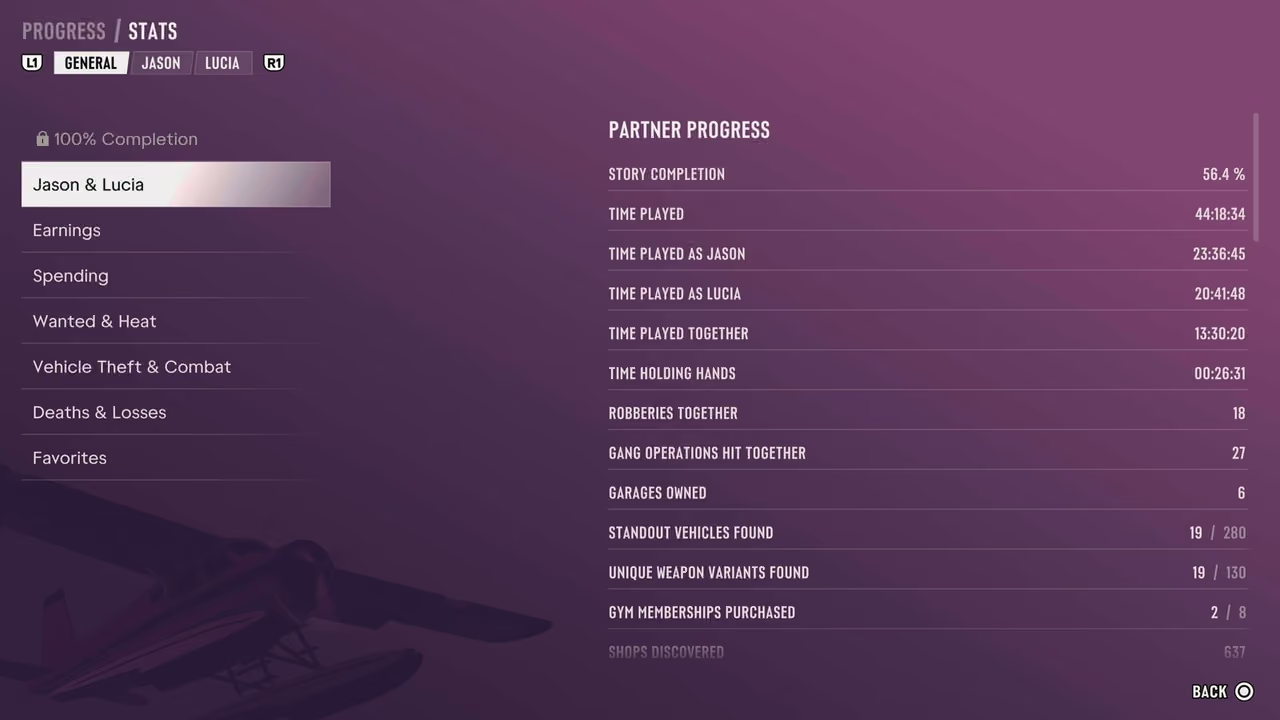
Standout vehicles are special one-off versions of vehicles that GTA 6 flags when you find them. The game tells you the moment you get in one: “You’ve found a standout vehicle. Some of its parts may be unique and can’t be reapplied if modified.” There are 280 to find. Your count is under Progress > Stats, and the ones you’ve found have their own Standout tab under Progress > Vehicles.
How you know you’ve found one
When you enter a standout vehicle, the standout tip appears with the vehicle’s name. They can be any kind of vehicle:
- a Vapid Speedo van
- a Declasse Twinstripe Vigero, a white coupe with blue stripes
- Kyle’s Mallard, the Lapwing crop duster from Kyle McKittrick’s job (Aerial Application)
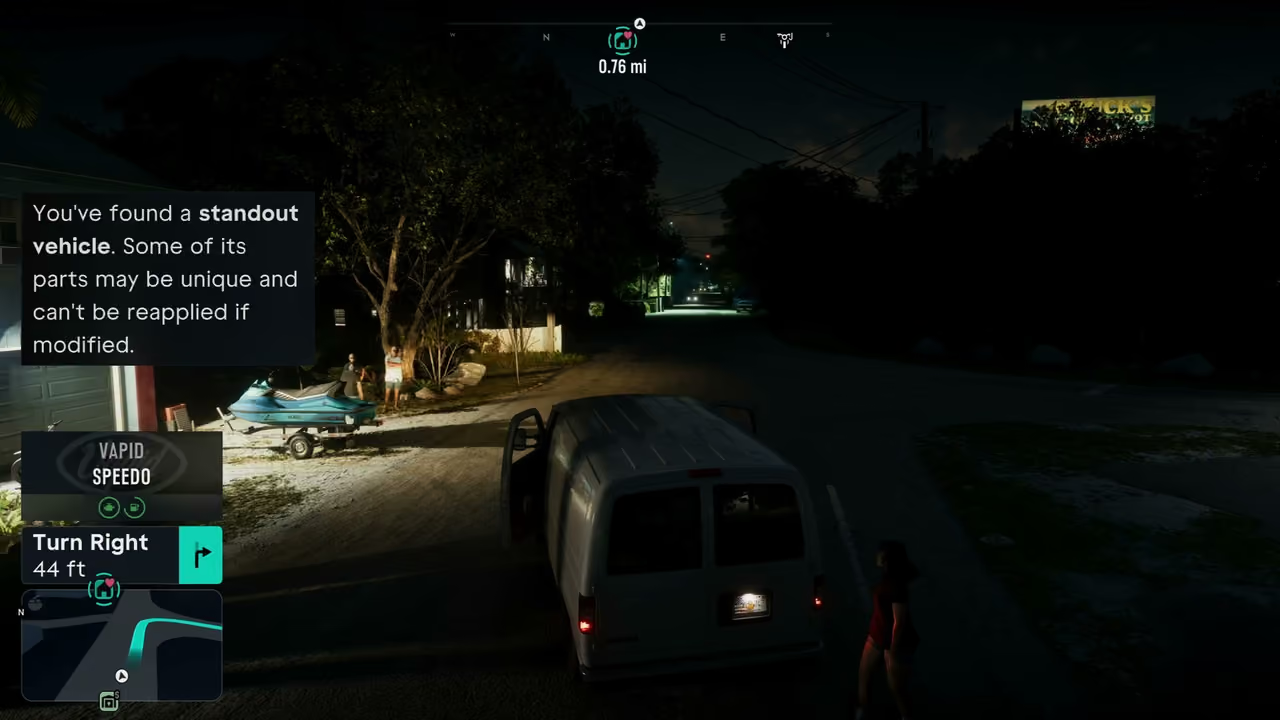
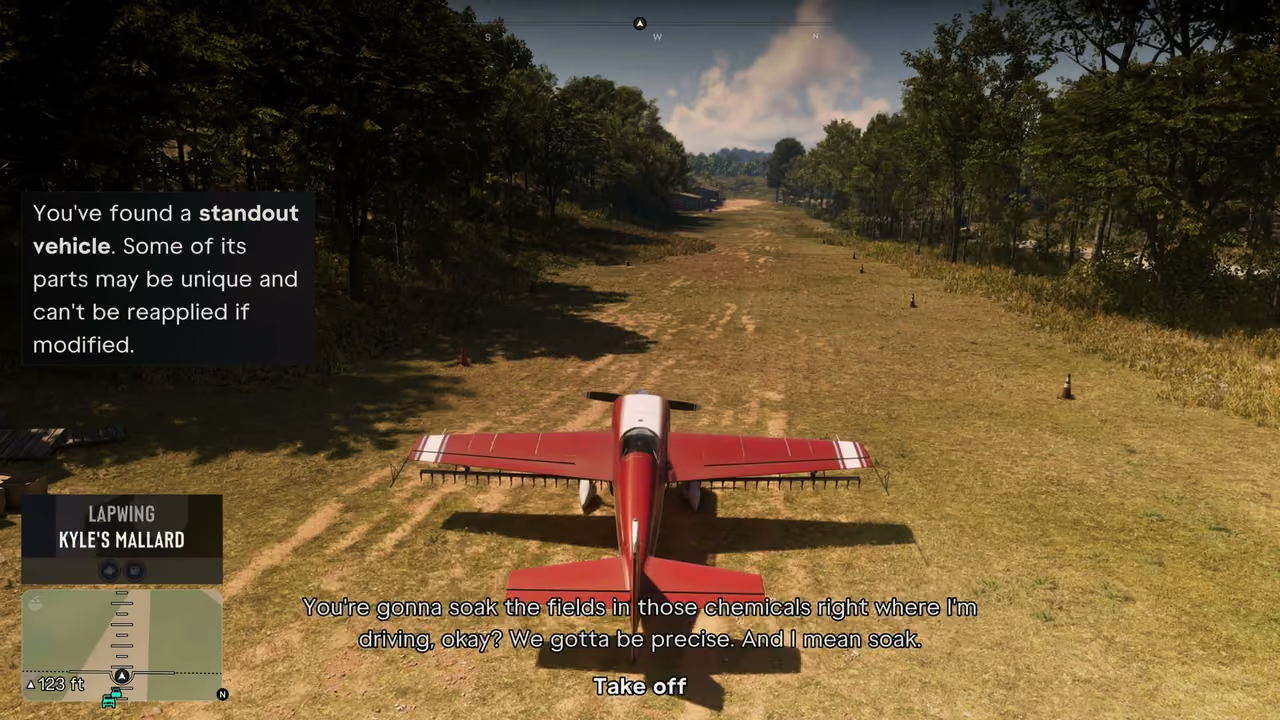
What to do with them
- Keep them stock if you care about the parts. The tip is explicit: some parts are unique and can’t be reapplied once you modify the vehicle.
- Some need a key. The Twinstripe Vigero showed a Clone Key prompt and the tip “You’re not currently able to start keyless vehicles”. Until you can clone keys, you can’t drive keyless standouts away.
- Store the ones you want. A separate tip warns that unowned vehicles, weapons and items that weren’t stored during your last session are lost.
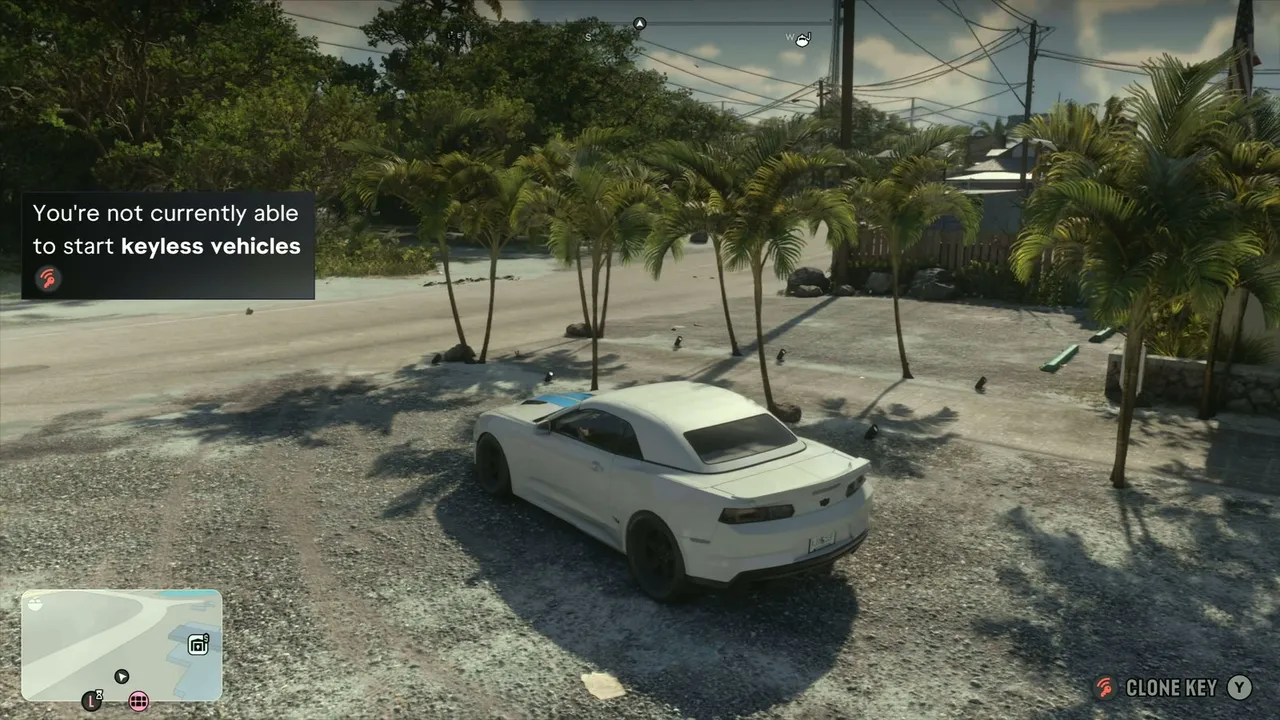
Modding a unique car
Unique named cars carry the same risk. Fitting a full body kit to Moses’ Sultan (an Emperor) at a mod shop brought up “Buy and change name? This is a unique vehicle. Are you sure you want to purchase this mod and lose the unique name?” If you want to keep a car’s unique parts or name, check the warning before you confirm a mod.
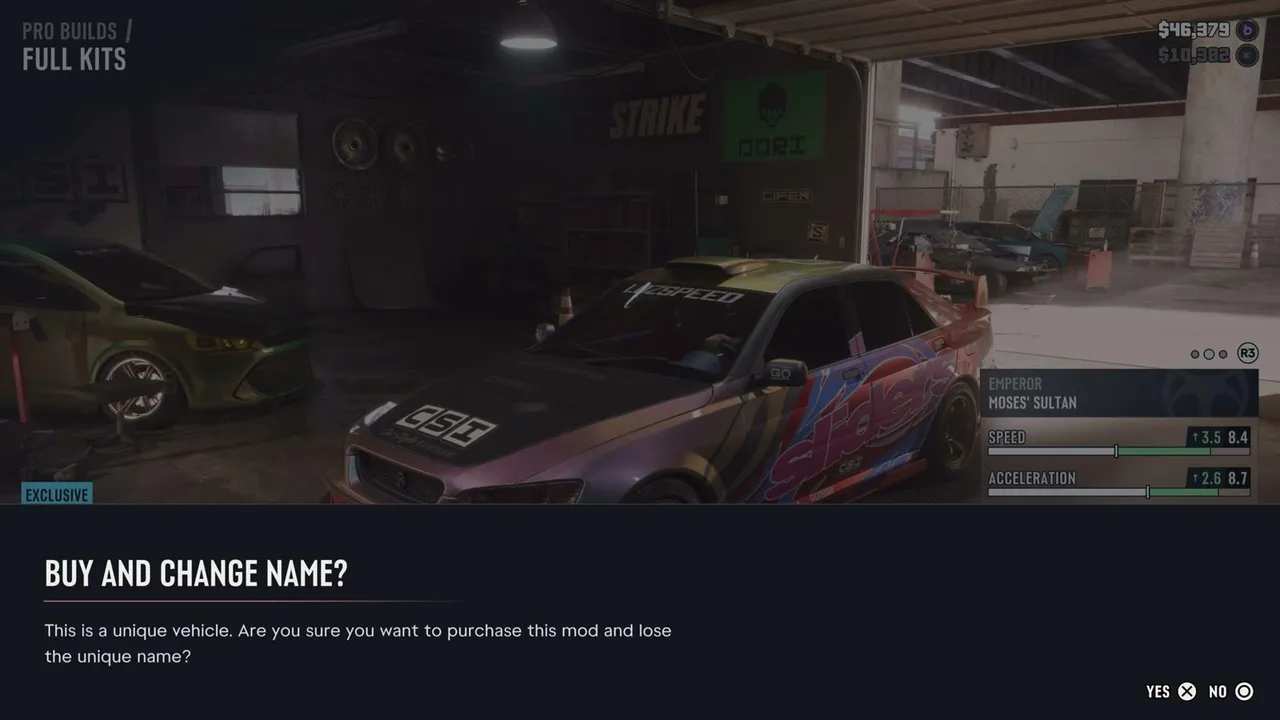
Where to track them
- Progress > Stats > General (Jason & Lucia): “Standout vehicles found” with a count out of 280. Counts seen on saves further into the story: 3 / 280, 14 / 280, 19 / 280. The same screen tracks unique weapon variants found, out of 130.
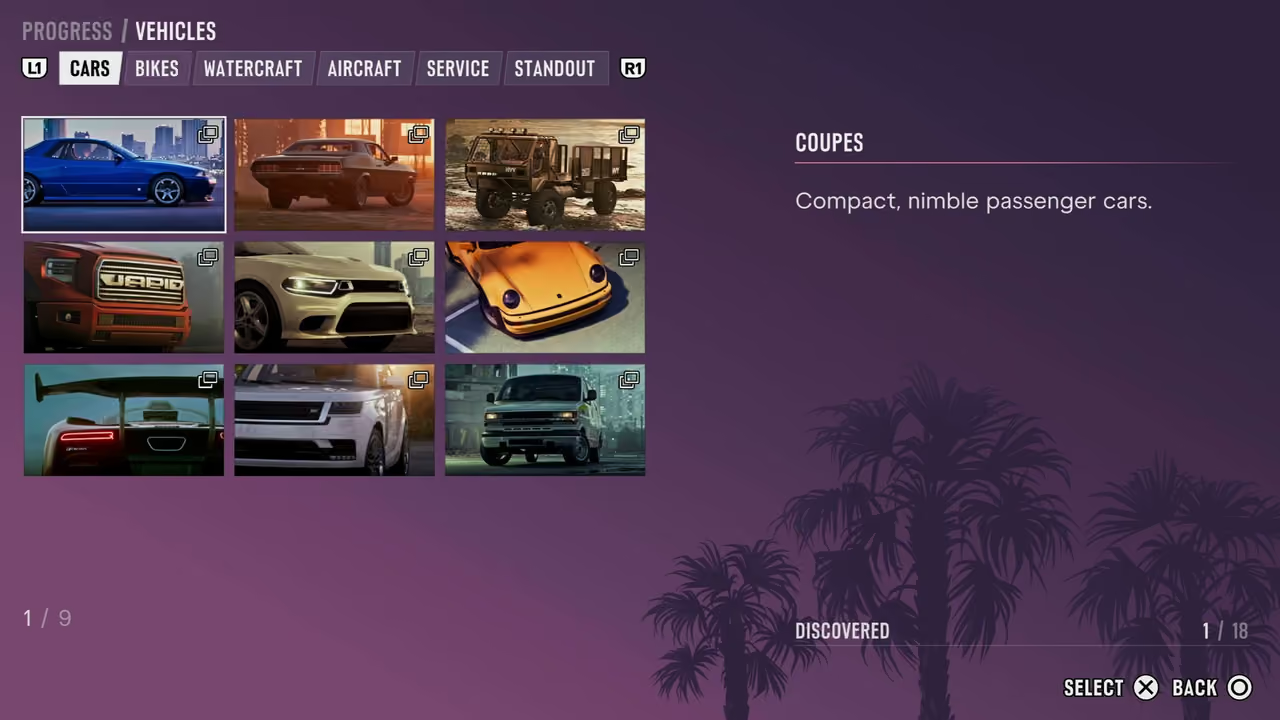
- Progress > Vehicles: tabs for Cars, Bikes, Watercraft, Aircraft, Service and Standout, with a “Discovered” counter per category.
More in Getting started